4 Best 49-Inch Curved Ultrawide Monitors for Coding & Productivity (2026)
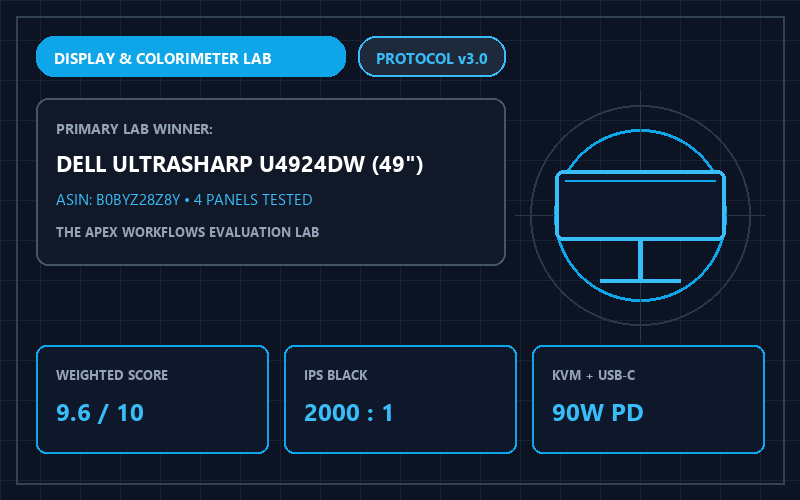 Apex Lab Telemetry Card • SKU: U4924DW
Dell UltraSharp U4924DW 49-Inch Curved USB-C Hub Monitor
U4924DW • ASIN: B0BYZ28Z8Y • Reference Price: $1149.99Workstation Verdict: While gaming channels praise OLED panels, productivity professionals staring at 10-point source code and financial spreadsheets for 10 hours a day need standard RGB stripe subpixels, zero burn-in anxiety, and single-cable laptop docking. The Dell UltraSharp U4924DW ($1,149.99, 9.6/10) is our #1 Productivity Winner, while the Samsung Odyssey OLED G9 ($1,099.99) wins for hybrid creator/gaming setups.
Quantitative Display & Docking Telemetry (All 4 Models)
| Monitor Model | Panel & Subpixel | Text Clarity & PPI | Color Accuracy | USB-C PD & KVM | Lab Score | Amazon Listing |
|---|---|---|---|---|---|---|
| 1. Dell UltraSharp U4924DW Best Office | IPS Black (2000:1, RGB Stripe) | 109 PPI (Razor-sharp text) | Delta-E < 1.4 | 90W PD + Auto KVM + RJ45 | 9.6 / 10 | View Dell U4924DW → |
| 2. Samsung Odyssey OLED G9 | QD-OLED 240Hz (1,000,000:1) | 109 PPI (Slight fringing) | Delta-E < 1.1 | No USB-C PD / Basic Hub | 9.3 / 10 | View on Amazon |
| 3. LG 49WQ95C-W Nano IPS | Nano IPS 144Hz (1000:1, RGB) | 109 PPI (Crisp text) | Delta-E < 1.6 | 90W PD + Built-in KVM | 9.2 / 10 | View on Amazon |
| 4. Philips Brilliance 499P9H | VA 1800R Curve (3000:1, RGB) | 109 PPI (Good text) | Delta-E < 1.9 | 65W PD + Pop-up Webcam | 8.8 / 10 | View on Amazon |
Why Subpixel Geometry Matters for Coders & Analysts
At 5120x1440 resolution across a 49-inch diagonal (equivalent to two 27-inch 1440p monitors side-by-side without a center bezel), pixel density sits at 109 PPI. Operating systems like macOS and Windows ClearType expect standard vertical Red-Green-Blue (RGB) subpixel stripes to render crisp font edges. The Dell U4924DW and LG 49WQ95C-W use true RGB IPS layouts, minimizing subpixel color fringing and visual fatigue during extended 8-hour reading sessions, plus 90W USB-C power delivery that charges a MacBook Pro while routing 2.5GbE Ethernet and four USB peripherals through a single cable.
⚠️ Who Should SKIP the Dell UltraSharp U4924DW 49-Inch Curved USB-C Hub Monitor?
Skip the Dell UltraSharp U4924DW if you want high-refresh-rate PC gaming (120Hz–240Hz) or per-pixel HDR1000 contrast—its IPS Black panel runs at a 60Hz refresh rate and is engineered strictly for coding, spreadsheets, and multi-laptop USB-C KVM docking. Conversely, if 90% of your day consists of static IDE code or Excel grids, skip 49-inch QD-OLED monitors (like the Odyssey OLED G9) due to triangular subpixel text fringing and static taskbar burn-in risk.